Sales team tracking with verified customer visits
Reps start work before heading out, and the system records the route, the timing and the check-in at the customer’s door. Managers compare the call plan against what actually happened straight away, instead of waiting for a Friday report.
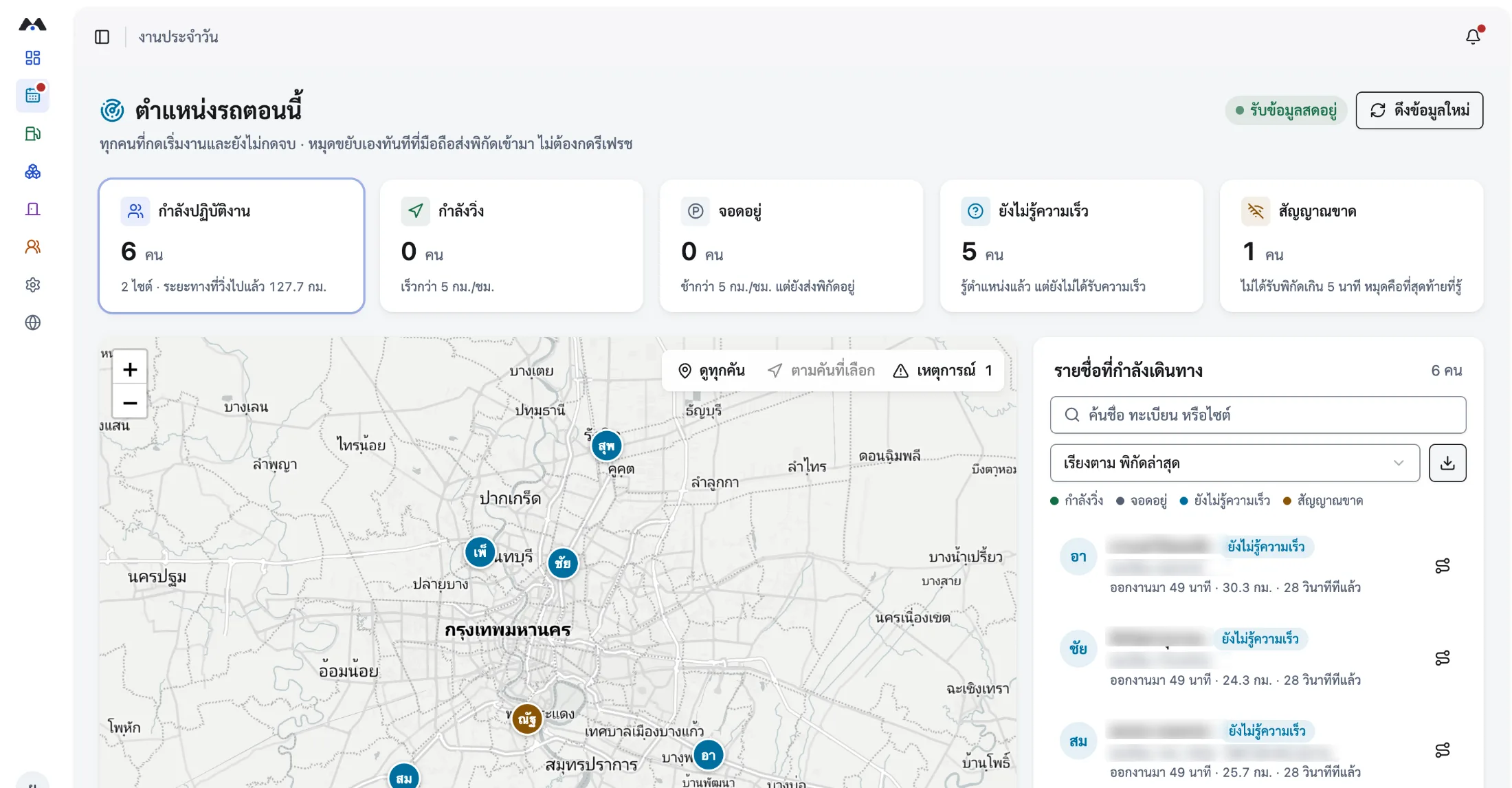
- Visits confirmed by time and coordinates
- Real mileage for expense claims
- No write-ups for the sales team
What sales team tracking does
Sales team tracking records a rep’s travel and customer visits from the app while their shift is running. It captures route, timing, distance and the check-in at each appointment, and links them to the assigned job. Managers see the planned calls, the visits that actually happened and the route history on one screen — with nothing for the rep to write up afterwards.
- How a visit is verified
- Checking in at the appointment records the time and coordinates at that moment, with the accuracy margin, and attaches them to that customer’s job.
- Whether it works with personal cars
- Yes. It runs from the rep’s phone rather than the vehicle, so company cars, personal cars and public transport all work.
- Whether it supports expense claims
- Yes. The system totals GPS distance and start and end times for each journey, giving a claim document both sides can check.
- Whether it tracks outside working hours
- No. It records only between starting and finishing work, and reps can view their own history at any time.
Why visit reports cannot be relied on
The problem with field sales is not intent. It is that the tools cannot prove what happened after the fact.
Write-ups prove nothing
A report filled in that evening records what the rep remembers about where they went. It does not confirm the time or the place.
Mileage arguments every month
When distance is estimated, finance and the sales team end up renegotiating the figure at every claim cycle.
Managers see it too late
Finding out on Friday that a key account has not been visited leaves no time to fix it that week.
From call plan to proof of visit
The sales workflow uses the same data as travel tracking, so there is no extra form to fill in.
- 01
Assign the call plan in advance
A manager creates visit jobs for each rep, naming the customer, the destination and the window for the visit.
- 02
Start work before leaving the office
Recording of route, timing and distance begins immediately, and the app shows the rep the visits due that day.
- 03
Check in at the customer
Tap to check in or scan a QR code at the appointment. The system records the real time and coordinates, and photos or visit notes can be attached.
- 04
Close the day and compare plan to reality
Managers see the visits that actually happened, the time spent at each, route history, and the total distance for each rep.
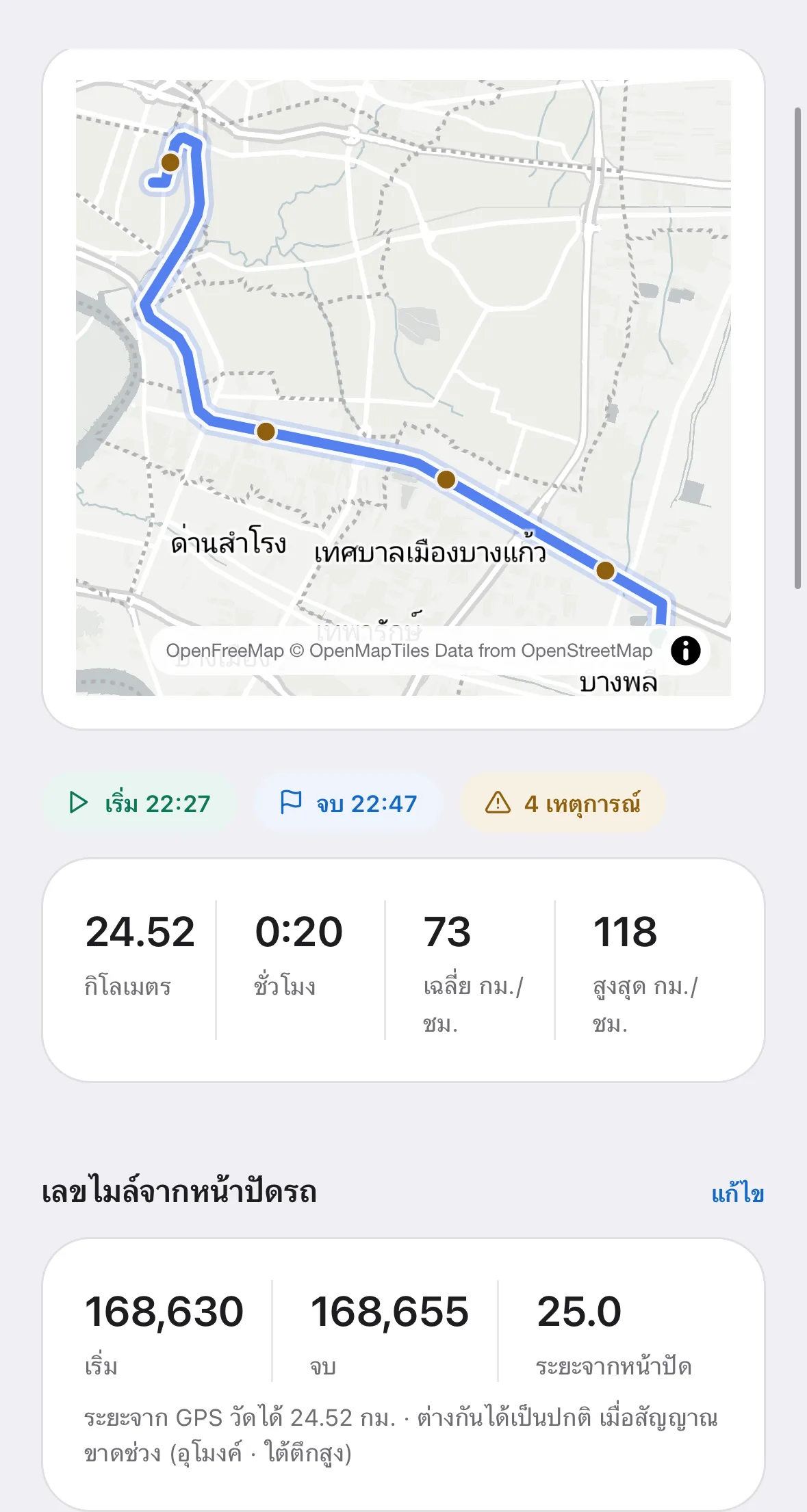
What a sales manager sees every day
Sales activity data comes out of the work itself, not out of an extra form.
- The team’s daily call plan against the visits that actually happened
- Time and coordinates of each check-in, with the accuracy margin
- Route history for each rep, day by day
- Total distance and travel time for expense claims
- Visits per day, for planning the next territory cycle
- An emergency assistance button for anyone travelling alone
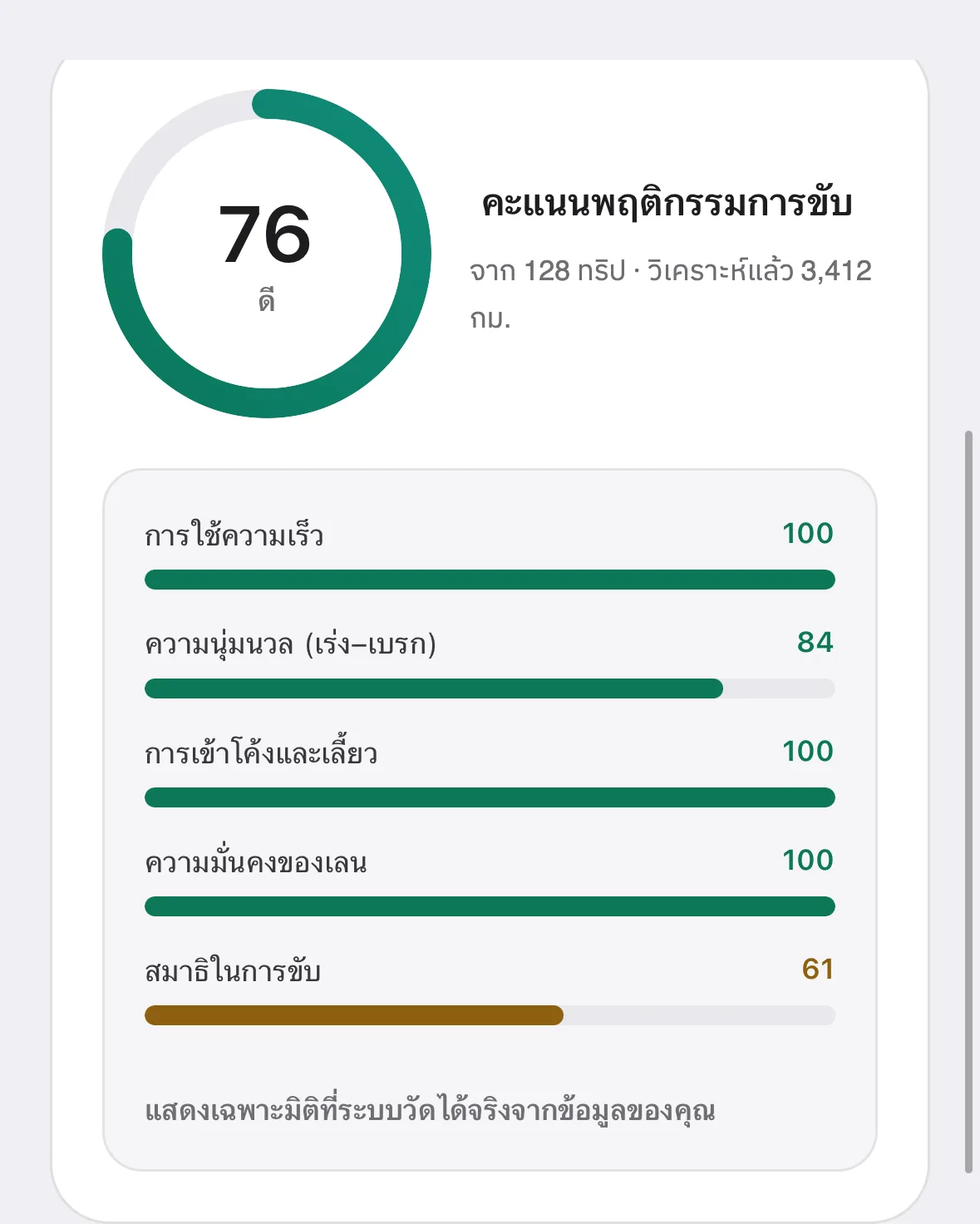
Reps can see their own performance
Frequently asked questions
The questions our team hears most about Sales Tracking — from operations, HR and IT.
01Can we track reps who use their own cars?
Yes, because the system runs from the rep’s phone rather than the vehicle. Personal cars, company cars and public transport all work, and the recorded distance can be used for expense claims without fitting anything to an employee’s own car — which is difficult to agree in practice.
02What if a rep simply does not start work in the app?
The system only records while work is running, so there is no location data for periods when it was not started. What the manager sees is a job with no travel data and no check-in against it, which is enough to follow up case by case. That design follows the principle of collecting only what is necessary, and lets you tell staff honestly that there is no tracking outside working hours.
03How do you stop someone checking in from somewhere else?
A check-in records coordinates and time at the moment it is tapped, with the accuracy margin. Compared against the appointment location and the route driven beforehand, an inconsistency is obvious. Where a site needs more certainty, organisations use a personal QR code fixed at the location instead of relying on coordinates alone.
04Can visit data be used to appraise the sales team?
It works as activity data — visits made, time spent per customer, territory covered — but it should not be the only measure, because visit count does not translate directly into revenue. What works in practice is reading activity data alongside sales results, to see which working patterns actually perform.
05Do we have to tell the sales team before rolling this out?
Yes. Collecting staff location requires a lawful basis, a clearly stated purpose, data minimisation and advance notice. MOBIX helps technically by recording only during working hours and giving staff access to their own data, but each organisation should have its legal team or data protection officer review the notice before rollout.
Related solutions
Let the sales team prove their work without writing reports
Book a live walkthrough. We will show you the screen a sales manager uses to compare the call plan against what actually happened.