Mobile workforce management for field staff
Teams working away from the office should be able to evidence their work as easily as the people sitting in it. MOBIX records arrivals and departures, working hours and proof of completed jobs from the app — collecting data only while they are on shift.
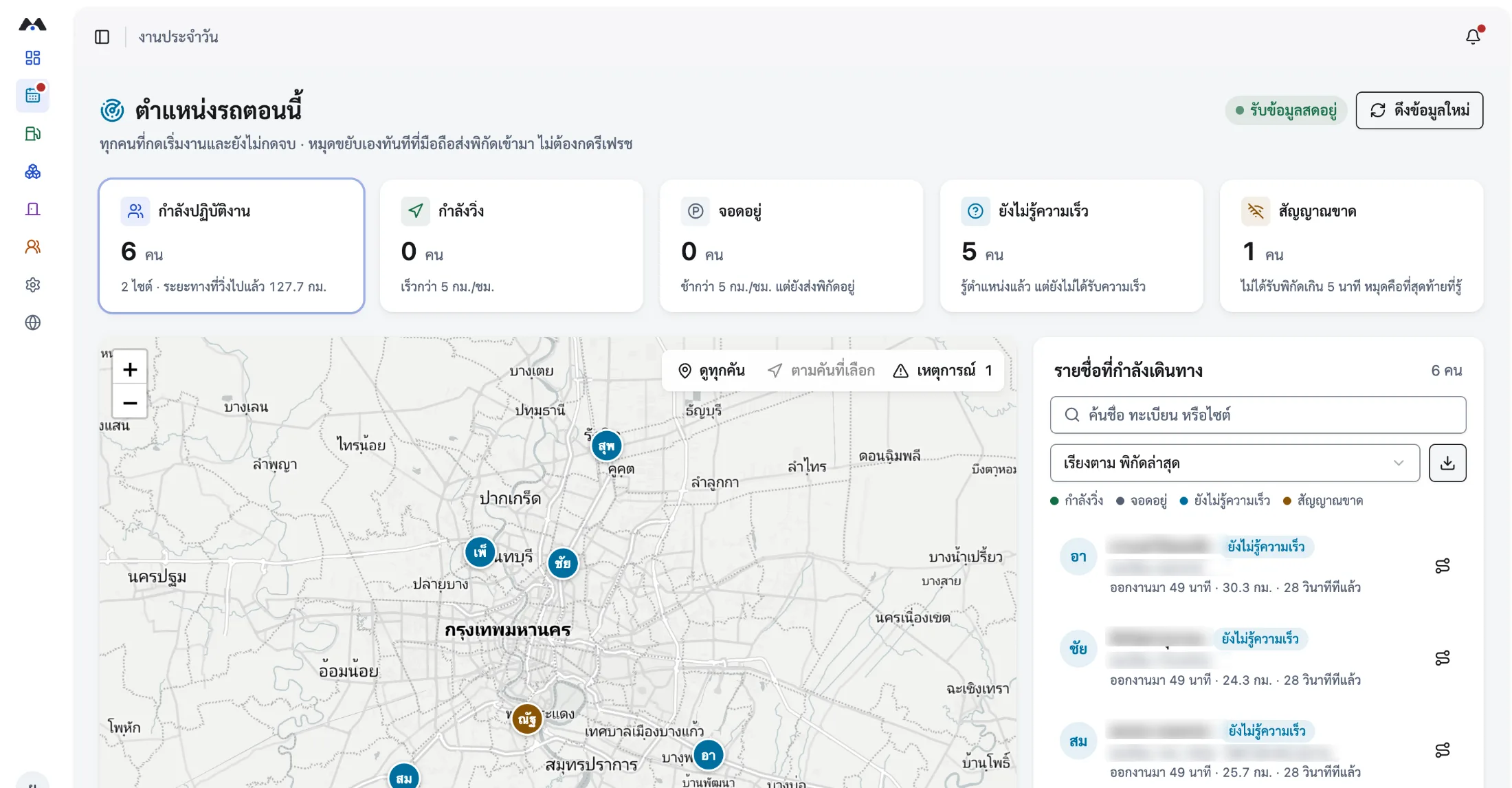
- Records only during working hours
- Staff can see their own data
- ISO 27001 / ISO 27701 certified
What mobile workforce management means
Mobile workforce management means giving staff who work off-site the same completeness of record as work done in the office: assigning jobs, confirming identity on site, capturing working hours, and evidencing that the job was finished. MOBIX does all of it from the app, recording coordinates only between starting and finishing work, and letting staff view their own history — so the collection can be explained to employees and to an auditor alike.
- Which teams it suits
- Service technicians, sales teams, delivery crews, site inspectors, installation teams, and anyone rotating between several sites.
- How identity is confirmed on site
- A personal QR scan or an in-app check-in records the real time and coordinates of every arrival and departure.
- How hours are counted
- From starting work to finishing it, with distance alongside — an overtime record both sides can trust.
- How PDPA is handled
- Coordinates only during working hours, advance notice to staff, and staff access to their own data. Organisations should have legal review the notice before rollout.
What disappears once the team leaves the office
The more distributed the team, the later the information reaches management and the harder it is to prove.
Nobody knows who is where
When an urgent job lands, supervisors ring round one by one to find who is closest and free enough to take it.
Working time cannot be proved
Timesheets filled in afterwards leave both the employee and the company exposed when overtime or a piece of work is questioned.
Working alone carries risk
Staff entering a site alone or working at night often have no way to call for help that also sends their position.
A field worker’s day in the system
Every step happens in one app. Nothing gets written on paper and typed up again back at the office.
- 01
Pick up your jobs in the app
Staff see the jobs assigned to them for the day, with destinations and the window for each site visit.
- 02
Start work when you set off
The system begins counting working time and recording travel, and shows the employee that recording is running.
- 03
Check in on arrival
Scan a personal QR code or check in through the app to record the time and coordinates of arriving and leaving. Photos of the work can be attached.
- 04
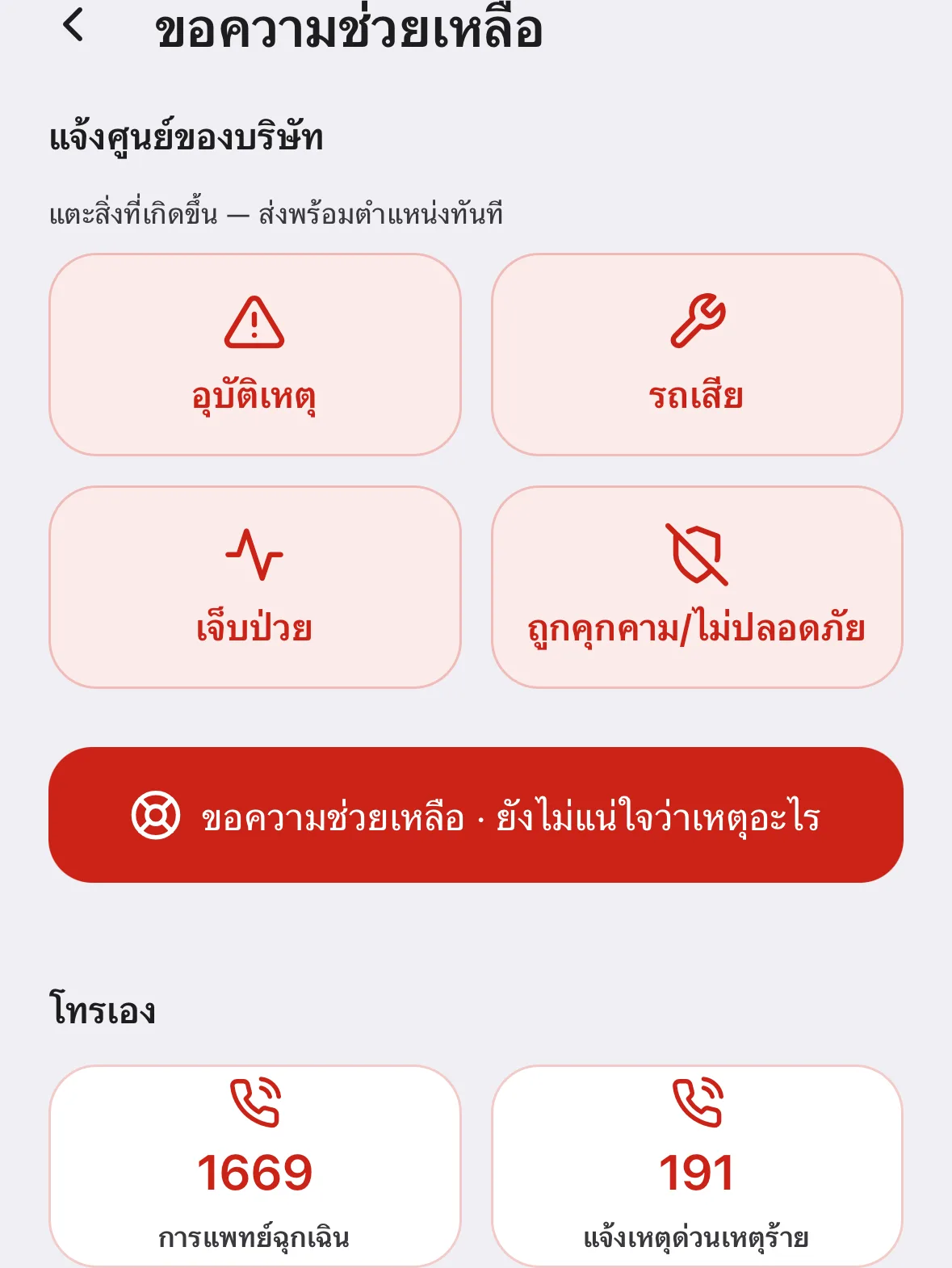
Call for help at any point
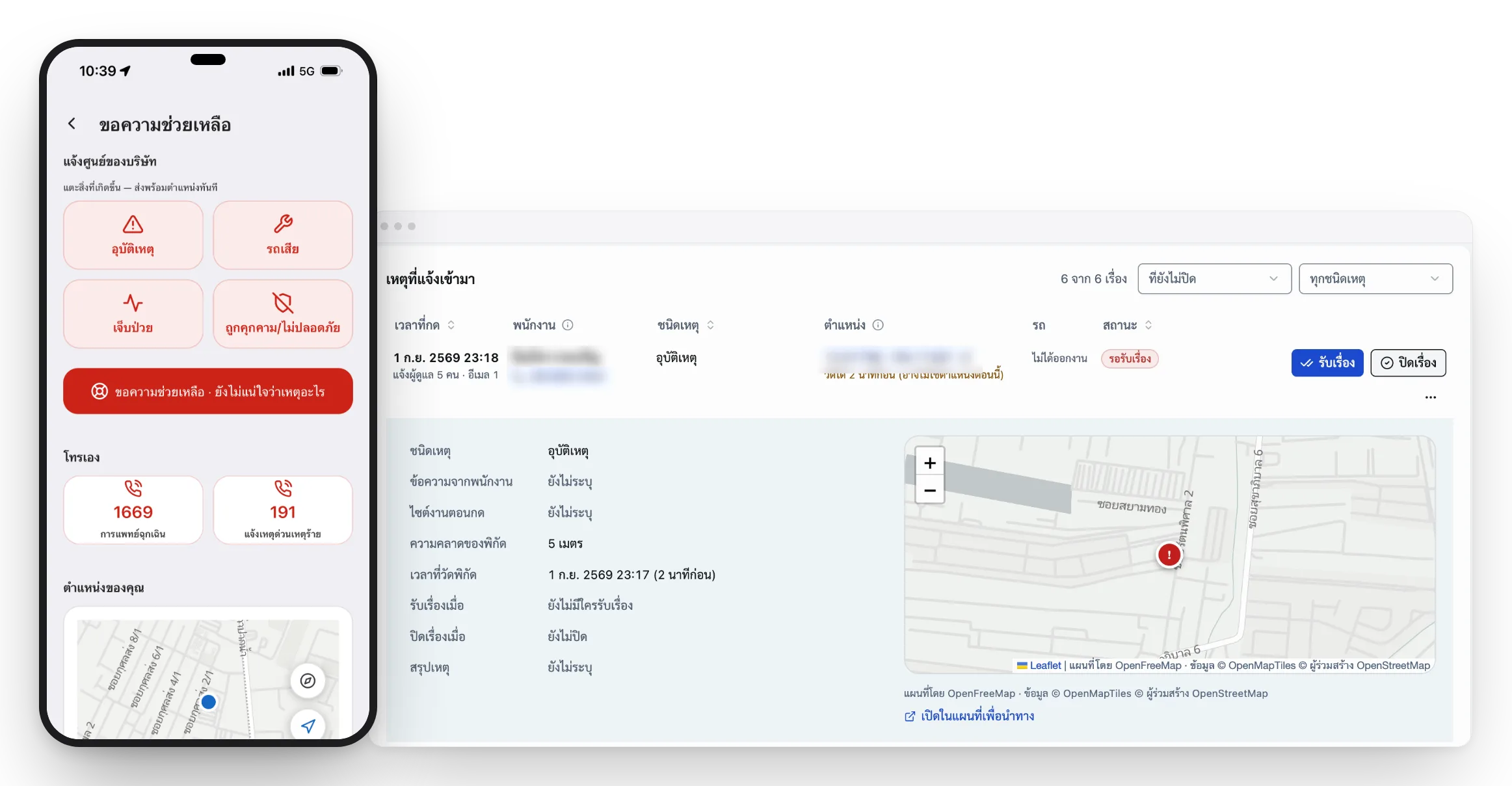
The assistance button sends coordinates to the control room in one tap, with the nearest hospitals and police stations dialable even without internet.
What the organisation gains from managing field work
One set of data serves dispatch, overtime calculation and after-the-fact review.
- Where the working team is, so urgent jobs go to whoever is closest
- Arrival and departure times from a personal QR scan or check-in
- Automatic working hours with distance, for overtime calculation
- Proof of completed work, with photos and notes from site
- Emergency assistance with coordinates, for people working alone
- Administrator permissions split by department, and history for review
When someone calls for help, the control room sees their position immediately
Frequently asked questions
The questions our team hears most about Mobile Workforce — from operations, HR and IT.
01Do staff have to leave GPS running all day?
No. The system records location only between the moment an employee starts work and the moment they finish, and the app shows them that recording is running. Nothing is collected outside those periods. That reduces the data the organisation is responsible for and makes the arrangement straightforward to explain to staff.
02How do staff rotating between sites check in?
Each site has its own QR code. Staff scan it to record the time and coordinates of arriving and leaving, so the system knows which site they were at during which part of the day and totals hours across sites automatically — with no separate time clock at each location.
03Can employees see their own data?
Yes. Staff can view their own travel history, working time and performance summary in the app. That helps in two ways: it gives the employee their own evidence if working time or overtime is questioned, and it satisfies the transparency principle in data protection law, where the data subject should be able to access their own data.
04How does the system protect people working alone?
Staff can tap the assistance button in one action. The system sends their position and the time to the control room, which can accept the case immediately. The phone also holds national emergency numbers, the company’s own numbers, and the nearest hospitals and police stations with distances — all dialable even with no internet connection.
Related solutions
Make off-site work auditable at every step
Book a live walkthrough. We will show you check-in, working-time capture and emergency assistance in the live system.