Field service management and technician tracking
Send jobs to the nearest technician, follow their travel, and know exactly how long each job took — from leaving base to closing the job at the customer’s site.
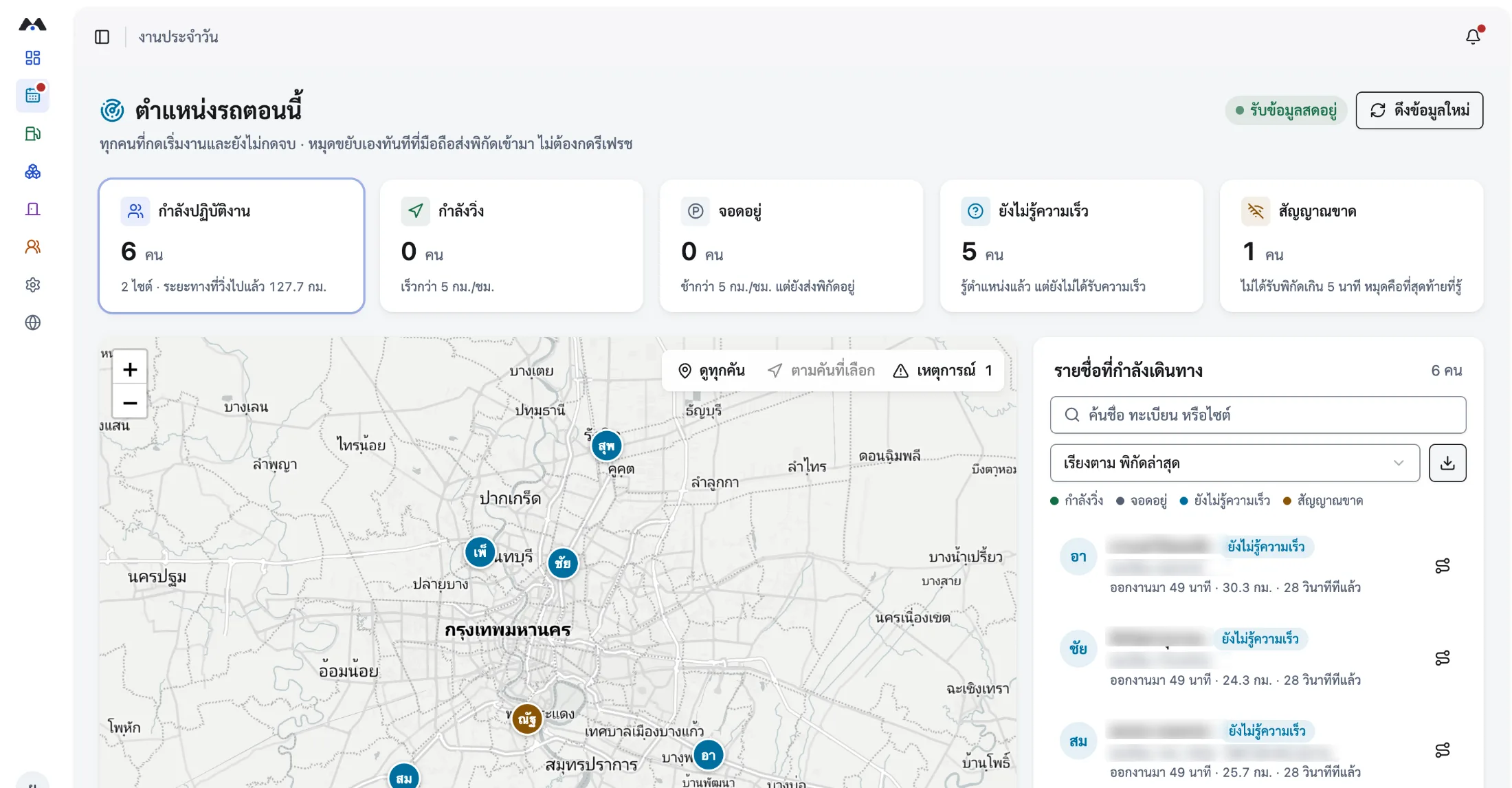
- Travel time separated from time on site
- Check in on site with real coordinates
- Keeps working with no signal
Field service management for technician work
Field service management covers service work carried out at a customer’s site: taking the request, assigning a job to a technician, the travel, confirming arrival, recording what was done, and closing the job with the time it took. In MOBIX, technicians see their own jobs in the app, start work to begin recording travel, check in on arrival, and close the job when finished — so every job has start and end times for planning the next round of resourcing.
- How jobs are assigned
- A supervisor creates jobs and assigns them to individual technicians, who see their own work in the app with destination and time window.
- Whether travel time is separated
- Yes. Each job carries three timestamps — work started, checked in on site, work finished — so travel and on-site time are distinct.
- How work is evidenced
- Check-in records time and coordinates, and photos from site and notes on the outcome all attach to the same job.
- Whether it works with no signal
- Yes. The app is offline-first: it records to the device and syncs automatically once the connection returns.
Why technician work is so hard to estimate
Without the real duration of each job, resource planning falls back on the supervisor’s instinct.
Nobody knows if the technician has arrived
When the customer calls, the coordinator has to call the technician in turn — and the answer is still an estimate.
No real data on time per job
Without automatic start and end times, planning how many jobs fit in a day stays wrong by the same margin every week.
Not enough evidence from site
With no photos or notes attached to the job, reviewing a job the customer is unhappy with starts from nothing every time.
From job ticket to closed job
Every step attaches to the same job, so you can look back at what happened and how long it took.
- 01
Send the job to the right technician
The coordinator sees where every working technician is, so an urgent job goes to whoever is close by and has capacity.
- 02
The technician starts work and sets off
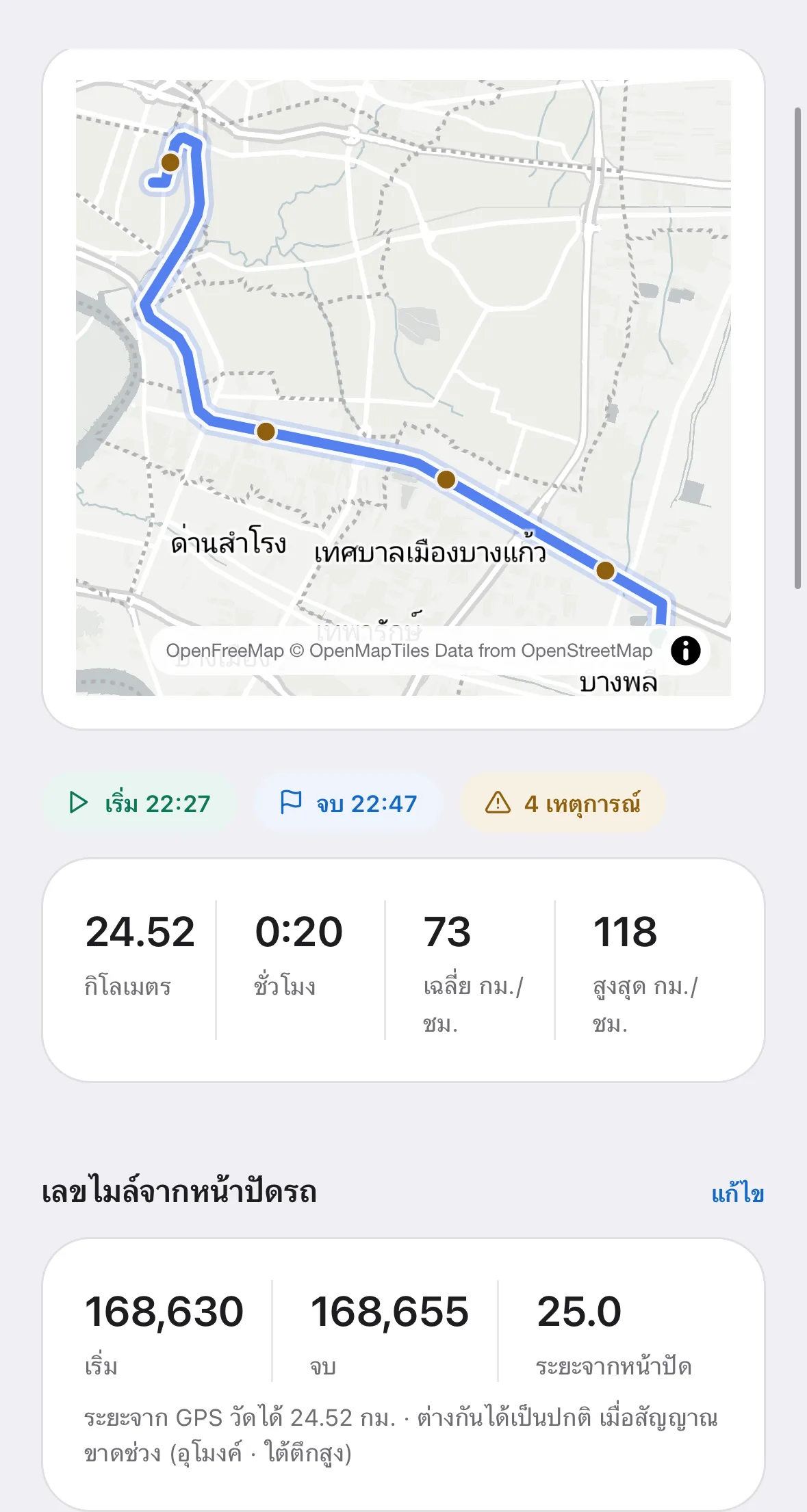
Route, timing and distance for that journey are recorded against that job.
- 03
Check in and do the work
The technician checks in on arrival and attaches photos and notes — which works even inside a building with no connection.
- 04
Close the job and get the real duration
On closing, the system summarises travel time, on-site time and distance for that job, ready for the next planning round.
What the field service team gains
Real duration per job is the basis of both resource planning and giving customers a straight answer.
- Where working technicians are, for dispatching urgent jobs
- Travel time and on-site time for every job
- Site check-in with real time and coordinates, plus photos
- Job history, viewable by customer or by technician
- Keeps working inside buildings and areas with no signal
- Emergency assistance for technicians entering a site alone
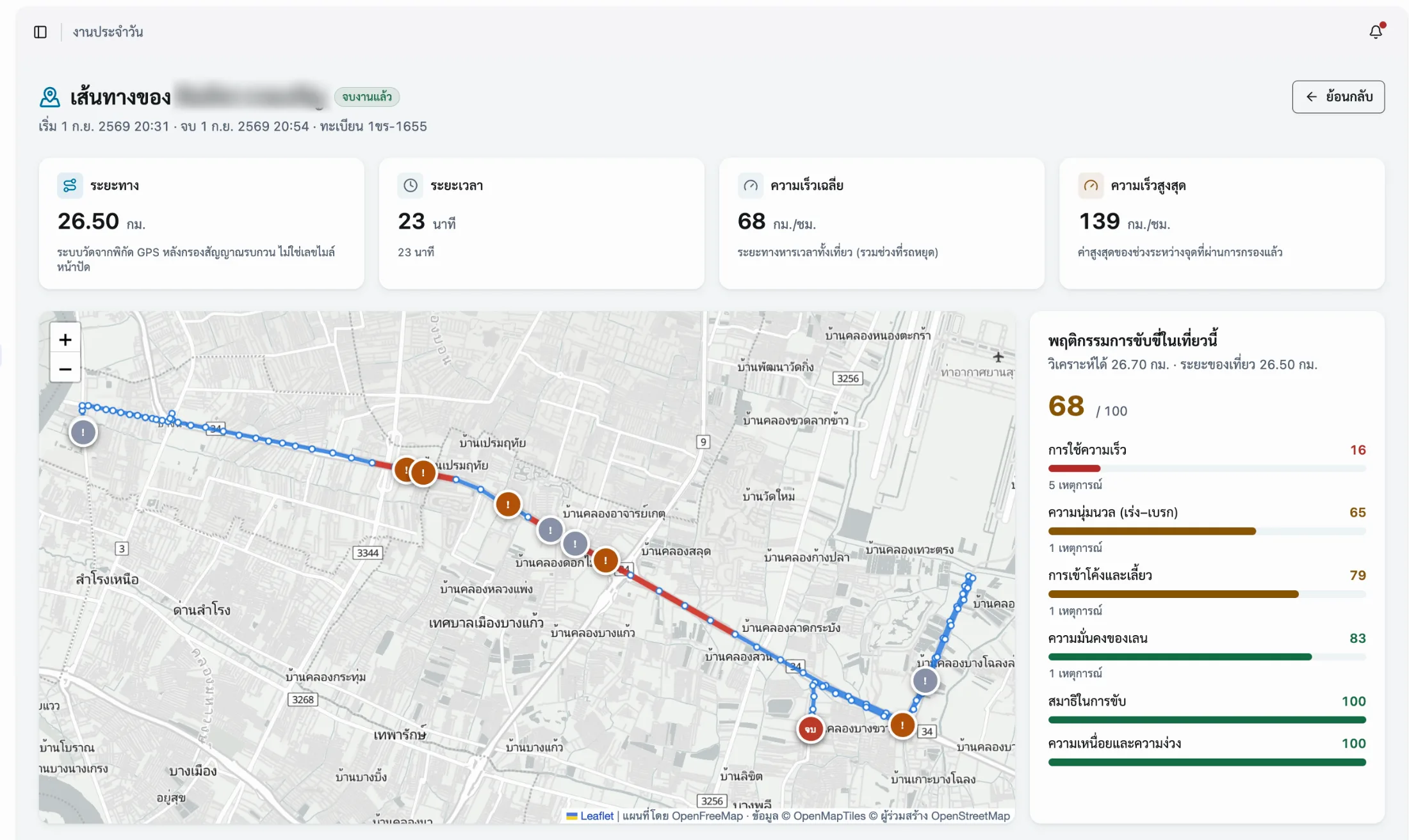
The route and travel time behind every job
Frequently asked questions
The questions our team hears most about Field Service — from operations, HR and IT.
01How does the system help send jobs to the nearest technician?
The coordinator sees the latest position of every working technician on one map, with the job each is currently on. When an urgent request arrives they can assign it to someone close to the destination with capacity left, instead of calling round. The system does not dispatch for you — it gives you enough information to decide in seconds.
02Can technicians check in inside buildings or basements?
Yes. The app is offline-first, so check-ins, photos and job notes are stored on the device and sync once the connection returns. Where the GPS signal is weak the accuracy margin rises, and the system records that value too. For buildings that need certainty, we recommend a personal QR scan fixed at the entry point.
03Can travel time be separated from time on site?
Yes. Each job has three timestamps: work started, checked in on site, and work finished. The gap between starting and checking in is travel; the gap between checking in and finishing is time on site. Across many jobs, that shows which routes are costing the team too much travel.
04Can technicians’ working time be used for overtime?
It works as supporting evidence, because start and end times are captured automatically alongside distance and the site check-in, and both the company and the employee can verify them. Overtime itself must still follow your own rules and labour law — the system supplies figures that match the real work, it does not replace the approval process.
05How do we handle a technician team sharing company vehicles?
The job attaches to the technician who took it, while the vehicle is managed through the request and dispatch board. The system therefore knows who drove which vehicle on that trip, and the pre-departure warnings appear if that vehicle’s documents are not in order or it is double-booked. The trip’s cost lands on the vehicle actually used, so per-vehicle cost still adds up.
Related solutions
- Mobile WorkforceCheck in off-site, capture working hours automatically, and look after people working alone.
- Fleet ManagementRun company vehicles end to end — documents, servicing, per-vehicle cost and incidents in one system.
- Delivery TrackingSee where delivery vehicles are, the status of every job, and the time and coordinates of each drop.
Know the real time per job, then plan resourcing on numbers
Book a live walkthrough. We will show you job dispatch, on-site check-in, and the report on time spent per job.